Understanding Voided Receipts and Why They Matter
Voided receipts occur when a transaction is cancelled or reversed in the POS system, sometimes after payment has already been taken. This can happen for legitimate reasons—such as customer mistakes, technical errors, or changes to an order. However, a frequent pattern of voids, especially after payment, can also indicate process gaps or, in some cases, dishonest activity. Recognising this pattern early allows managers to address issues before they impact the bottom line.
In fast-paced environments like fast-food, retail, or fuel stations, voids can easily go unnoticed amidst the rush. Regularly reviewing POS data helps to distinguish between normal operational activity and anomalies. Even if most voids are honest mistakes, repeated occurrences may signal a need for clearer procedures or additional staff training.
Voids are not inherently suspicious, but their context matters. For example, voids clustered at the end of shifts or always involving the same staff member deserve a closer look. Patterns like these can point to gaps in training, unclear policies, or the need for better communication between staff and management.
Understanding the reasons behind voided receipts is the first step. Encourage staff to record notes on voids when possible and foster a culture where mistakes can be discussed openly. This approach helps identify if further support or process changes are needed, rather than jumping to conclusions.
Common Patterns to Watch For in POS Reports
Certain patterns in your POS reports may suggest a need for attention. A common one is multiple voids within a short time frame, especially by the same employee or at the same till. Another is voids after the payment has been processed, rather than before. These can be signs of confusion or, occasionally, attempts to conceal discrepancies.
Look for voids that frequently occur during specific shifts or at particular times of day, such as closing time when staff may be rushing. This can point to process weaknesses or insufficient end-of-day routines. Comparing voids across different locations or teams can also help spot outliers.
Pay attention to high-value items or large transactions being voided more often than small ones. If certain products or services are more frequently involved in voided receipts, it may be worth reviewing how these are handled at the point of sale.
Using simple tools like spreadsheets or built-in POS analytics, filter for transactions marked as voided after payment and group them by staff member, time, and transaction value. This can quickly highlight trends that deserve a closer look, and guide your next steps.
Practical Steps for Analysing Your POS Data
Start by exporting your POS data regularly—weekly or monthly works for most businesses. Focus on fields such as transaction time, employee ID, void status, and payment status. Sorting and filtering this data makes it easier to spot anomalies without getting overwhelmed by the volume.
Set up a simple checklist for reviewing voided transactions. For example: Were voids explained in staff notes? Are multiple voids happening in a short period? Are certain products or times over-represented? Documenting these findings helps track whether process changes are having an effect.
Encourage managers or supervisors to review voids as part of their routine shift checks. This not only increases awareness but also signals to staff that accuracy is valued. Sharing anonymised patterns with the team can help everyone understand what’s normal and what isn’t.
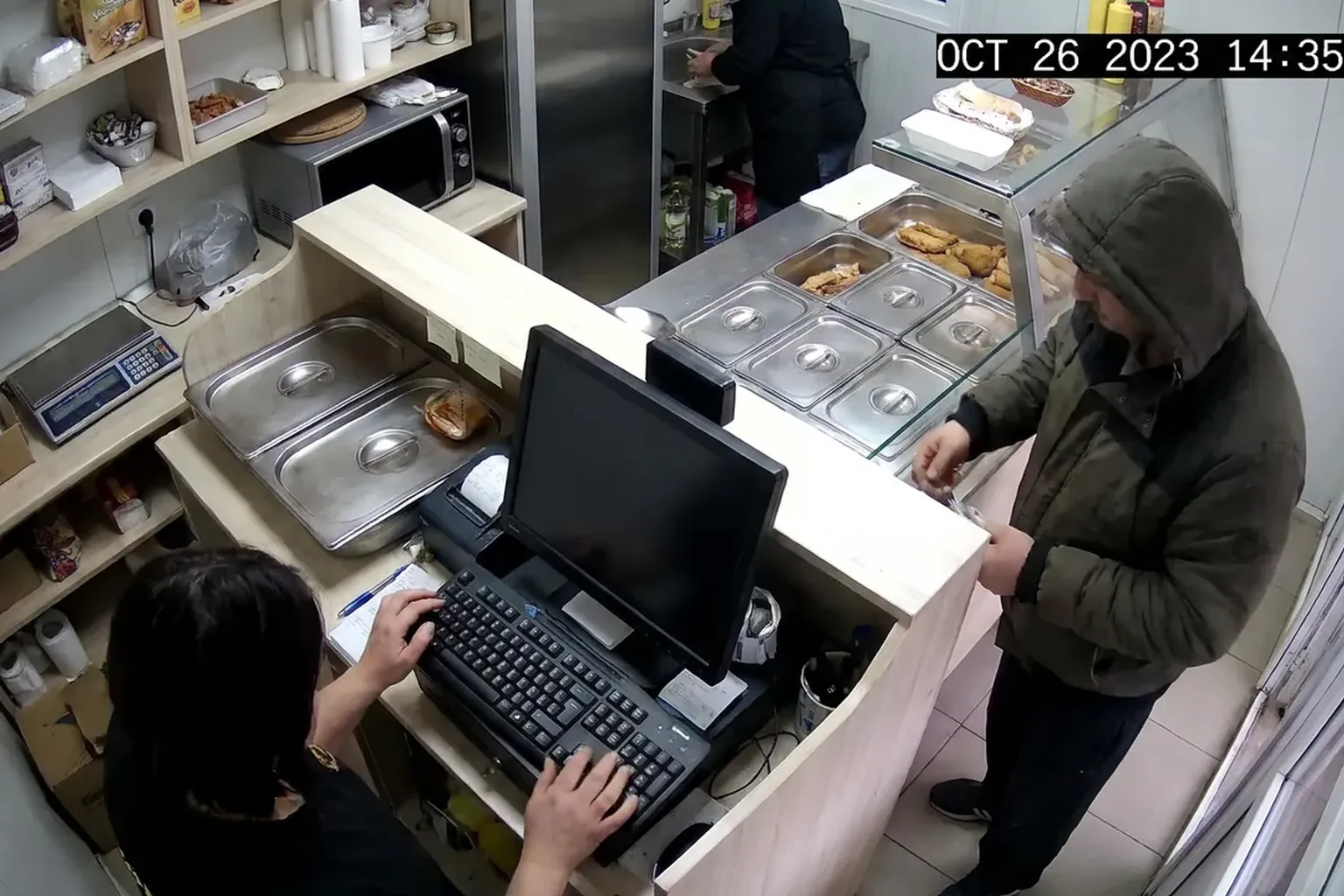
If your POS system allows, set up alerts for when voids exceed a certain threshold or occur after payment. This proactive approach helps catch issues early, before they become costly. For more advanced monitoring, solutions like Vigilessa can automate the comparison between what happens at the till and the POS transaction, sending an alert only when there’s a mismatch.
Balancing Oversight with Fairness and Compliance
It’s important to approach any investigation of voided receipts with fairness. Most discrepancies are honest mistakes, not deliberate attempts to defraud. Open communication and transparency with staff foster a culture of trust and improvement rather than suspicion.
Under GDPR, staff must be informed about how their data is used. Access to transaction and camera data should be restricted to those who need it, and footage or logs should be kept only as long as necessary. Always recommend checking your national rules and consulting your local data protection authority for specific guidance.
Avoid using technology for covert surveillance. Instead, focus on tools that support open processes and clear communication. For example, Vigilessa’s GDPR-first approach ensures staff are informed, access is limited, and no new cameras are required—just software that works with your existing setup.
Regularly update your privacy policy to reflect any changes in how you monitor or analyse transactions. This helps maintain trust with both staff and customers, and keeps your business on the right side of compliance.
Empowering Managers with the Right Tools
Managers are key to spotting and addressing patterns in voided receipts. Providing them with easy-to-use tools, clear guidelines, and regular training ensures they can act quickly and fairly. Built-in POS reports, simple spreadsheets, and open discussions in team meetings are effective starting points.
AI-powered solutions, such as Vigilessa, can add another layer of insight by comparing camera footage with the POS transaction in real time. This means managers receive an alert with a short clip and the receipt only when there’s a mismatch, allowing for targeted follow-up rather than sifting through hours of footage.
For day-to-day questions, digital assistants like Iris on WhatsApp can help managers quickly check which discounts or voids occurred during a shift. This saves time and makes it easier to spot trends or follow up with staff in a supportive way. Learn more about how Iris works here.
The right mix of technology and routine checks makes it easier to address issues before they become serious. Remember, the goal is to support staff and protect your business, not to catch people out.
Start with a Pilot on Your Own Data
If you’re unsure where to begin, start with a small pilot. Export a week’s worth of POS data, focusing on voided receipts after payment. Review it for patterns using the steps above. Discuss findings openly with your team and ask for their input on possible causes.
Consider trying Vigilessa on your own recordings to see how automated alerts can support your routine checks. You don’t need new cameras—just your existing system and a willingness to review the results together. Request a pilot to see how it works in your environment.
Use the pilot period to refine your processes, update your privacy policy, and gather staff feedback. This helps ensure any changes are practical, fair, and compliant with GDPR and local rules.
Taking these first steps will help you better understand voided receipts in your business, improve your processes, and maintain trust with your team and customers.
FAQ
What are voided receipts after payment?
These are transactions that are cancelled in the POS system after payment has been processed, sometimes for legitimate reasons or due to mistakes.
How can I spot suspicious patterns in voided receipts?
Look for repeated voids by the same staff member, at the same time, or involving high-value items, and review POS reports regularly for these trends.
Is it legal to monitor voided transactions and camera footage?
Yes, with proper staff notification and GDPR compliance. Always check your national rules and consult your local data protection authority.
How does Vigilessa help with voided receipts?
Vigilessa compares your existing camera footage with POS data, sending alerts only when there’s a mismatch, helping you spot issues quickly and fairly.
See also: Fast Food · Retail & Supermarkets · Loss Calculator
Want to know your business’s real loss figure?
Request a demo